1 · Get your pack
The study coordinator sends you a pack: one .zip file of short clips. Keep it zipped.
A browser tool for labelling calcium events in zebrafish light-sheet recordings. A detector ranks the moments most likely to be a neuron firing; you look at each one as a short clip and answer Accept, Decline or Unsure, usually in a few seconds.
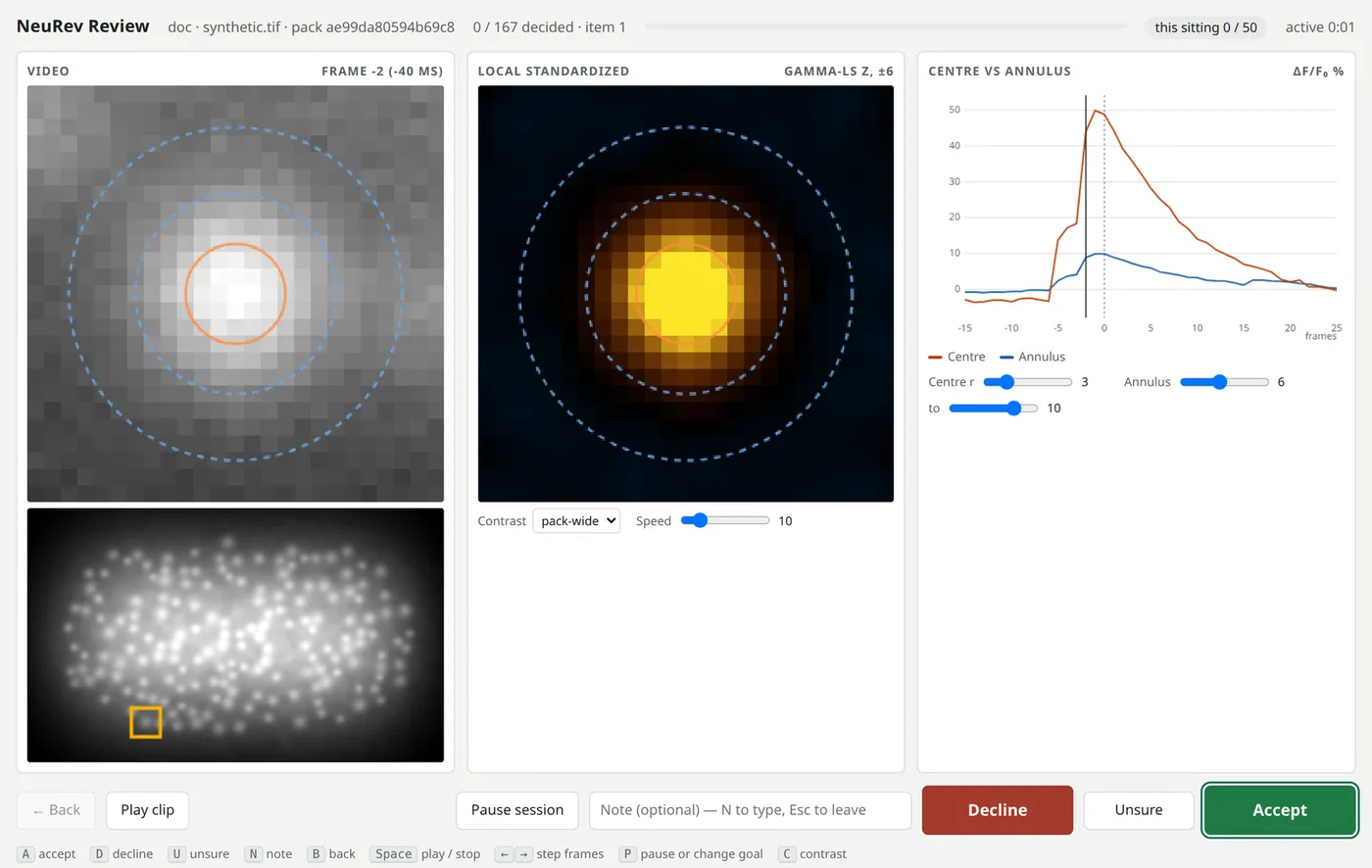
The study coordinator sends you a pack: one .zip file of short clips. Keep it zipped.
Open NeuRev Review, enter your name and your experience with calcium imaging, and choose the pack.
Pick a goal for the sitting (25 items, 20 minutes, …) and how much of the ranked queue to cover. Every answer is saved in your browser as you go; close the tab and come back any time.
Press Download results and send the zip back. It holds your answers, any notes, and a record of how you reviewed each clip.
The pack is read on your own computer and your answers stay in your browser until you download them. This site never receives the recording, the pack, or your results.
Accept when a cell at the centre lights up: the centre brightens more than the ring around it, then fades. Decline noise, flicker, movement, or a brightening of the whole area. Use Unsure, and a short note, when you cannot tell.
A accept · D decline · U unsure · N note · B back · Space play or stop · P pause or change your goal.
Packs are built with the NeuRev-Workbench event labeler (build_pack.py --zip), which keeps the answer key on your side; summarize.py reads the results zips reviewers send back.